
How to Create an Instagram Account: Easy Step-by-Step Guide
Creating an Instagram account is quick and simple. Here is a practical step-by-step guide covering signup, usernames, profiles, privacy, security, and what to do next.
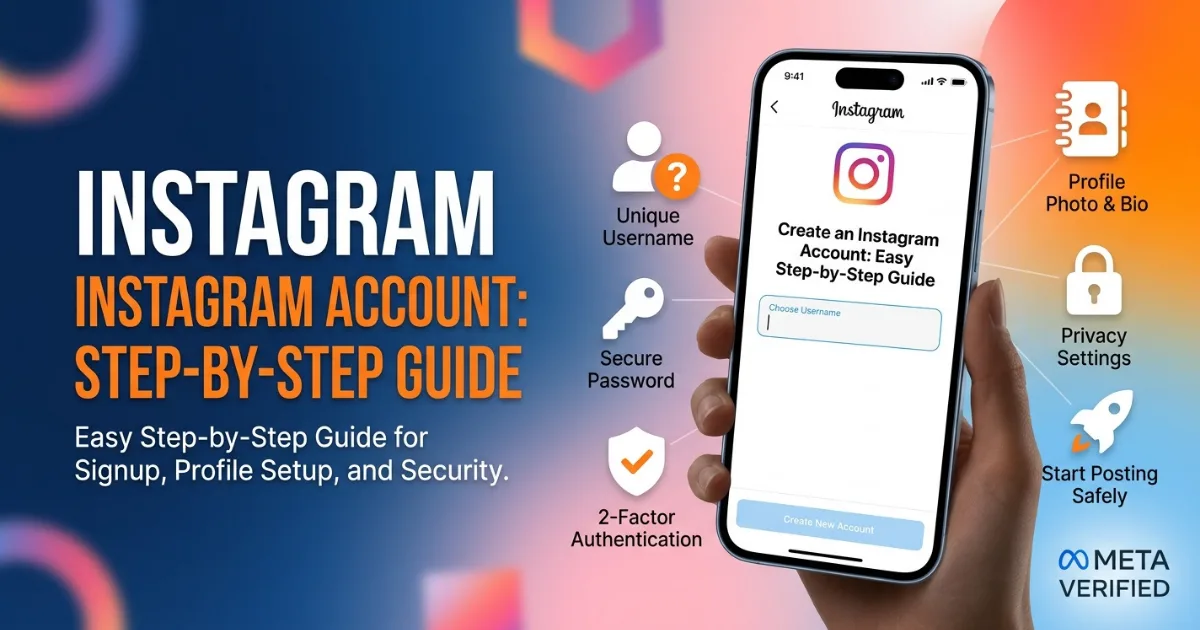
Creating an Instagram account takes only a few minutes, but your first choices can shape how people find your profile. If you are wondering how to create an Instagram account, the process is simple: download the official app or visit Instagram’s website, sign up with an email address or phone number, choose a username, create a password, and complete your profile.
How do you create an Instagram account?
To create an account, start by opening Instagram on your phone. Select the option to sign up and provide the requested details.
You will generally need:
An email address or mobile phone number.
Your full name.
A date of birth.
A secure password.
A unique username.
Follow the verification instructions Instagram provides. Once your account is confirmed, add a profile photo, bio, and other details.
Should you use an email address or phone number?
Choose contact information you can access regularly. A working email address can be useful if you lose access to your account or need to receive important security messages.
If you use a phone number, make sure it belongs to you and can receive verification codes. Never use someone else’s number without permission.
Before signing up, check that you are using the real Instagram app or official website. This can help you avoid fake login pages and suspicious downloads.
How should you choose an Instagram username?
Your username is one of the first things people notice. Choose something easy to remember, spell, and find.
For a personal account, your name or a simple variation can work well. For a business or creator account, consider using your brand name or a clear version of it.
Avoid long strings of random numbers. Avoid copying another person’s identity.
If your preferred username is unavailable, try adding a short word connected to your niche rather than making the name complicated.
What should you add to your Instagram profile?
A complete profile helps visitors understand you. Start with a clear profile picture. Then write a short bio explaining who you are and what people can expect from your content.
Include:
Your main interest or niche.
Your location, if relevant.
A simple call to action.
A website or useful link, when available.
Keep the bio natural and clear.
[insert related article link here]
Should your Instagram account be public or private?
It depends on your goal. A private account gives you more control over who can see your posts, stories, and shared content. A public account allows anyone to discover your profile and view eligible content.
If you are creating an account for a business, creator brand, portfolio, or public community, a public profile may make more sense. For friends and family, stronger privacy controls may be better.
Review Instagram’s privacy settings after signup and choose options that match your comfort level.
How can you secure a new Instagram account?
Security comes before followers. Create a strong, unique password. Turn on two-factor authentication if it is available for your account.
Watch for messages asking for passwords, verification codes, or payment information. Instagram will not need your password sent through a random direct message.
For guidance, review Instagram’s official safety and security information (source: Meta/Instagram).
What should you do after creating an Instagram account?
Do not rush to follow hundreds of accounts or publish many posts. Build your profile naturally.
A simple first-day checklist can help:
Add a recognizable profile photo.
Write a useful bio.
Set your privacy and security preferences.
Follow relevant friends, creators, or brands.
Explore content related to your interests.
Publish one strong introductory post or Reel.
Your first posts need not be perfect. Be clear and consistent.
Can you create an Instagram account without a Facebook account?
Yes. You can create an Instagram account separately from Facebook. Meta may also offer account-linking options.
If you keep platforms separate, review settings before linking them. This helps you understand what information and features may be shared between connected services.
What mistakes should new Instagram users avoid?
Take a few minutes to review every setting before you start posting publicly and sharing personal details online.
New users often make mistakes. Common problems include weak passwords, empty profiles, or oversharing.
Avoid buying followers or engagement. Fake numbers do not create a genuine community and can make your account analytics less useful.
Avoid suspicious links sent by strangers. Verify anything suspicious through official channels.
Is creating an Instagram account worth it?
For many people, yes. Instagram can help people connect, discover interests, showcase work, promote businesses, or build brands.
Start with a clear purpose: share photos, make Reels, promote products, connect with friends, or explore.
If you are learning how to create an Instagram account, remember that signup is only the beginning. A strong profile, privacy choices, security, and useful content matter more than follower speed.
FAQS:
How do I create an Instagram account?
Download Instagram or visit its official website, sign up, verify your details, and complete your profile.
Can I create Instagram with an email address?
Yes, you can generally sign up using an accessible email address or mobile phone number.
Is Instagram free to create?
Yes, creating a standard Instagram account does not require a subscription fee.
Can I make my Instagram account private?
Yes, you can use Instagram’s privacy settings to control who can see your content.
What should I do after creating Instagram?
Add a profile photo and bio, review security settings, follow relevant accounts, and start sharing useful content.
Comments (0)
Be the first to comment.
Related stories
 Lifestyle & Fashion
How to Increase Instagram Views Fast: 10 Smart Tips
Want more Instagram views without buying fake engagement? These practical Reel strategies can help you reach more people, improve retention, and grow naturally.
 Lifestyle & Fashion
Instagram Reels Tips for Maximum Engagement in 2026
Want more views, likes, shares, and comments on your Reels? These practical strategies can help creators make engaging videos and build a stronger Instagram audience.
 Lifestyle & Fashion
How to Get Verified on Instagram in 2026: Complete Guide
Want the blue check on Instagram? Here is a simple 2026 guide covering Meta Verified, eligibility, identity checks, account safety, and practical verification tips.